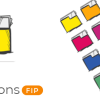
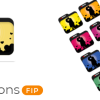
Access to 6 extra folder styles besides the main folder style
Version 2.9.10.980 (2019-09-20)
Windows Shell Menu Update Speed (Improved)
Icon Factory (Improved)
Version 2.9.6.813 (2019-02-14)
Minor speed improvements
Version 2.9.4.813 (2018-12-29)
Minor speed improvements
Version 2.8.3.733 (2018-09-20)
Trial Mode (3 days or 15 changes) (Added)
Remove icon from embedded explorer using the context menu (Added)
Ability to Rename or Delete the folders inside the software (Added)
Access to folder properties dialog using the context menu (New)
More default system icons (Fixed)
Version 2.6.1.583 (2018-04-25)
Minor improvements
Change Folder Icon Speed (improved)
Version 2.2.0.0 (2018-01-04)
Windows Shell Menu Update Speed (Improved)
Redesign the User Interface (New)
Access to Windows Icons on Right Click (New)
Speed (Improved)
Version 2.1.60.541 (2017-12-23)
Minor performance updates
Version 2.0.53.487 (2017-08-15)
Minor performance updates
Version 2.0.53.483 (2017-08-01)
Minor performance updates
Version 2.0.53.477 (2017-07-01)
Windows Shell Menu Update (New)
Users can have 2 extra packs beside the main icon pack on the windows right-click (New)
Quick Change (New)
Interface (Improved)
Speed (Improved)
Version 1.0.0.0 (2014-01-01)
MG Folder Icon Pro
MG Folder Icon Pro is the most complete and best Folder Icon tool that gives you everything you need to create unlimited amazing folder icons and assign them to any folder in the easiest way possible.
This is an efficient and user-friendly piece of software developed to offer you the means of customizing the looks of your directories’ icons, enabling you to work with a wide array of images and colors.